Velaro: Omnichannel Platform
Role
UI/UX and Product Designer
Industry
Customer Engagement
Duration
1 year

Context
Velaro is an enterprise SaaS platform that enables support teams to manage live chat, handle customer inquiries, and automate workflows across multiple channels. As the platform evolved, inconsistencies across legacy interfaces and new product initiatives created friction for both users and internal teams.
Key challenges included:
Fragmented UI patterns: Legacy pages, newer components, and unaligned design efforts resulted in inconsistent workflows and visual styles.
Complex agent workflows: Ticketing, triage, routing, and handoff processes required multiple disconnected screens, slowing support teams.
Limited automation tools: Existing workflow builders lacked clarity, making it difficult for admins to configure rules without engineering help.
Scalability issues: The design system needed modernization to support new features and ensure consistency across V10 and V20 tracks.
My work centered on untangling these challenges and designing clearer, more scalable workflows that balanced usability with technical constraints.
My Role
I led UX, product design, and frontend support for key areas of Velaro’s omnichannel customer engagement platform. My work focused on simplifying complex agent workflows, improving automation tools, and creating a more consistent, scalable interface across V10 and V20 product tracks.
Responsibilities
Mapped and redesigned core agent workflows for chat handling, ticketing, and routing
Introduced new UI patterns and component structures to improve design-to-development alignment
Designed high-fidelity web interfaces for ticketing, dashboards, workflow automation, and user tools
Collaborated closely with engineers to validate feasibility and refine implementation details
Worked with product managers to clarify requirements and acceptance criteria
Solutions in Action: Driving Engagement and Efficiency
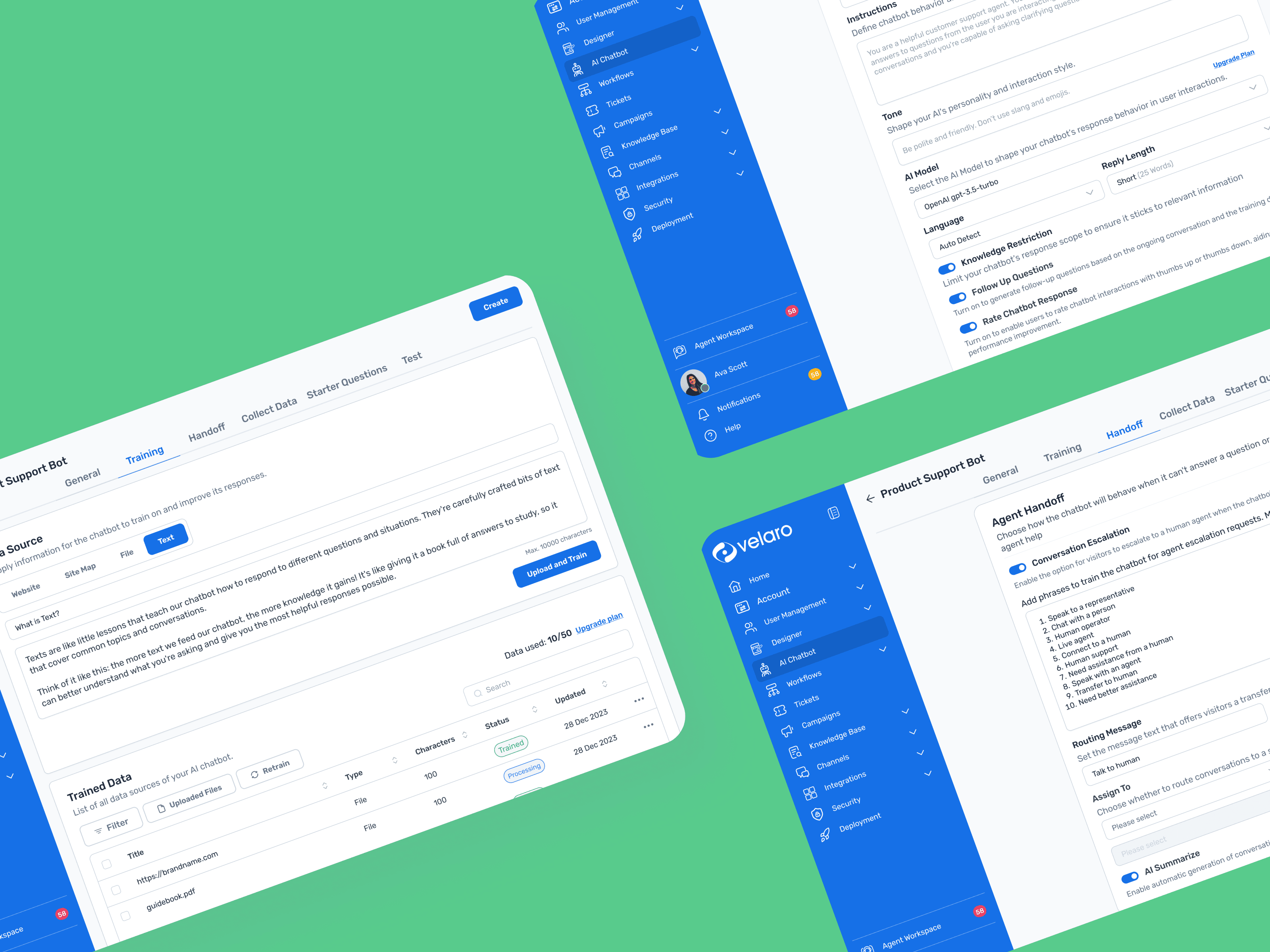
Seamless Chatbot Design
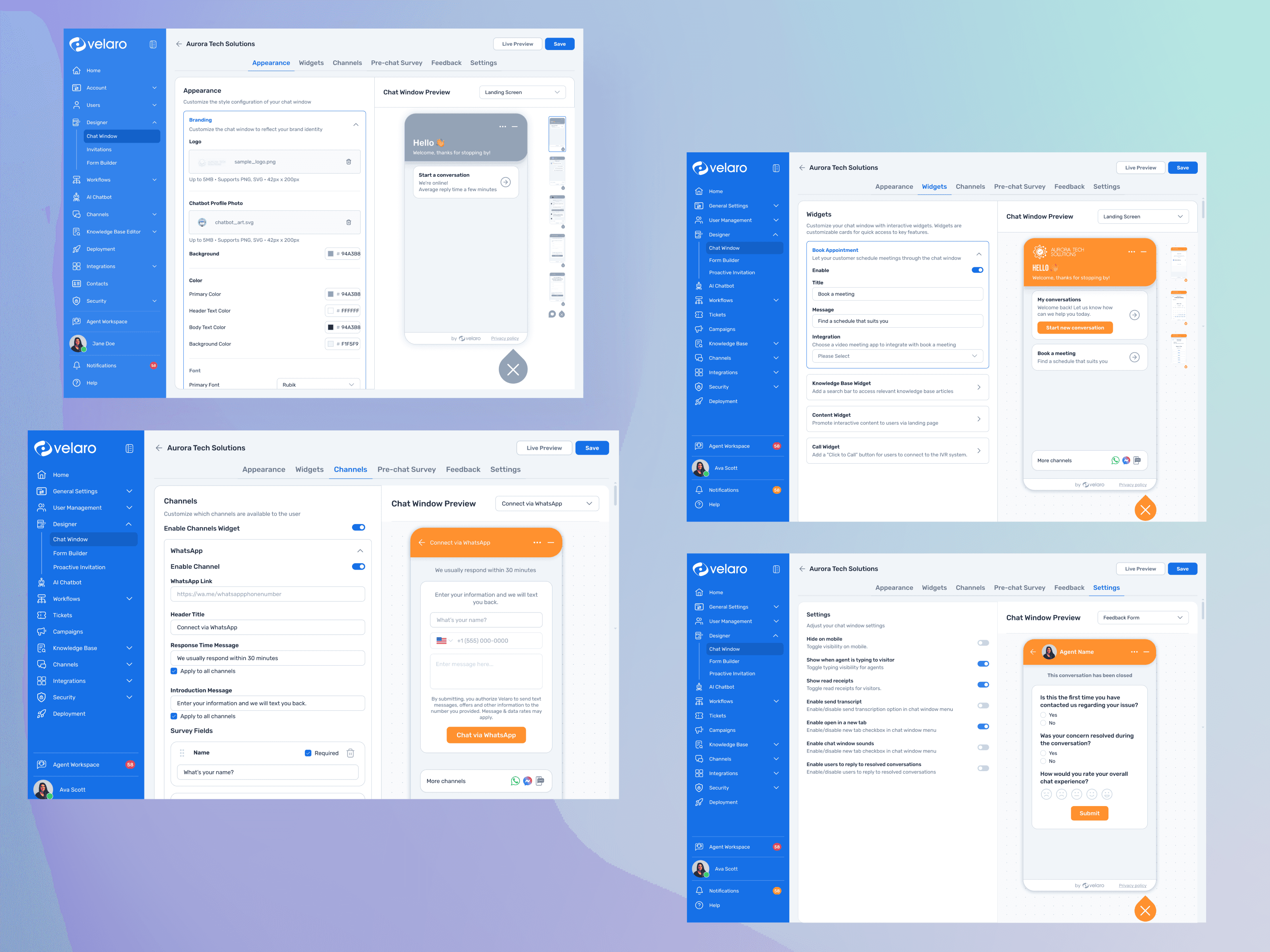
Developed a user-friendly chatbot designer that enabled businesses to build conversational flows visually, integrate AI capabilities, and preview interactions in real time. The designer integrates seamlessly with the Chat Window, allowing users to test and refine conversational flows while ensuring a consistent customer experience across channels.
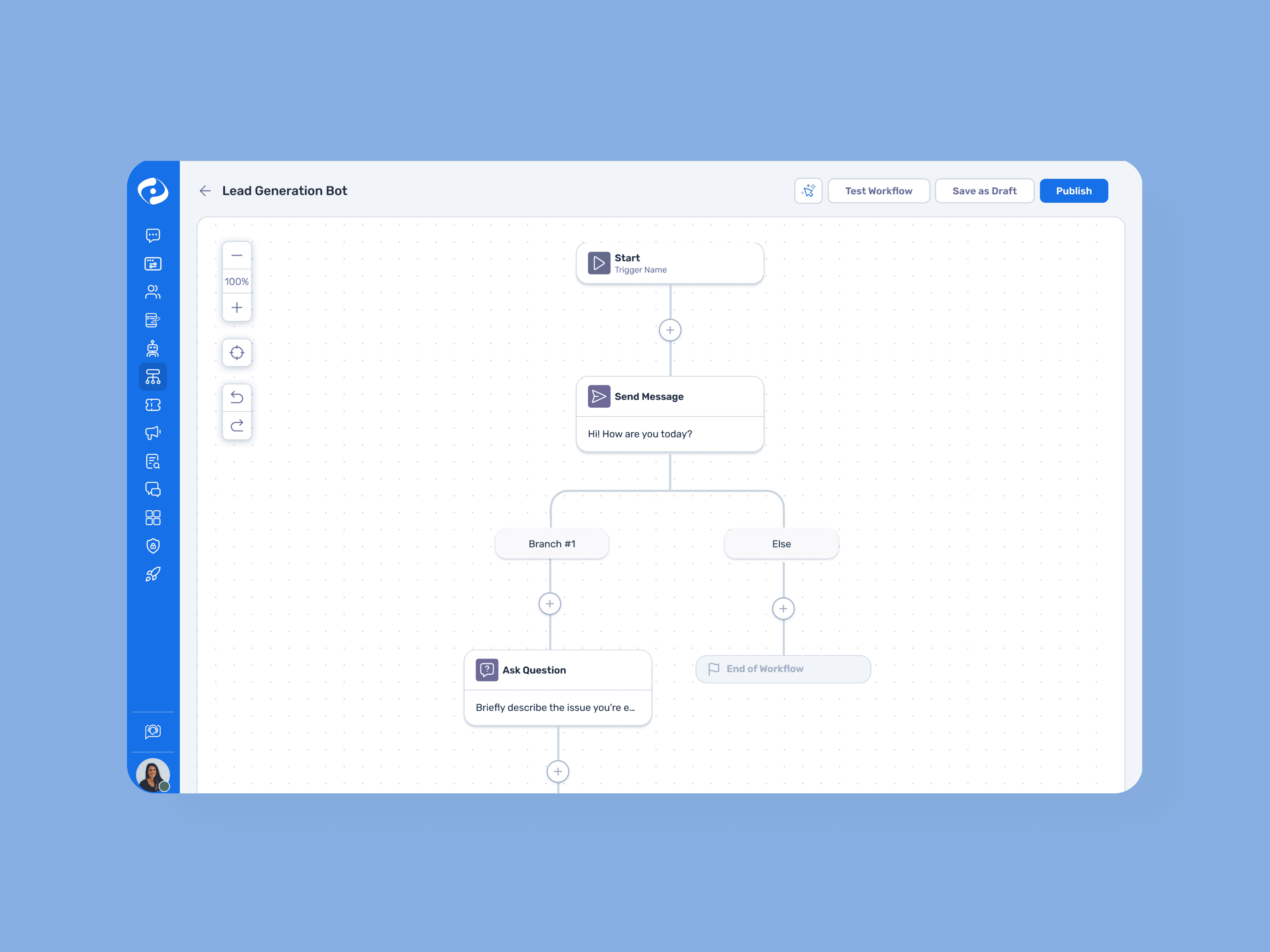
Automation That Works for You
Created an intuitive workflow builder that streamlined repetitive tasks, enabling users to automate actions like customer follow-ups, data entry, and escalation handling. The builder supports dynamic configuration and real-time updates, allowing teams to customize workflows based on their specific operational needs.
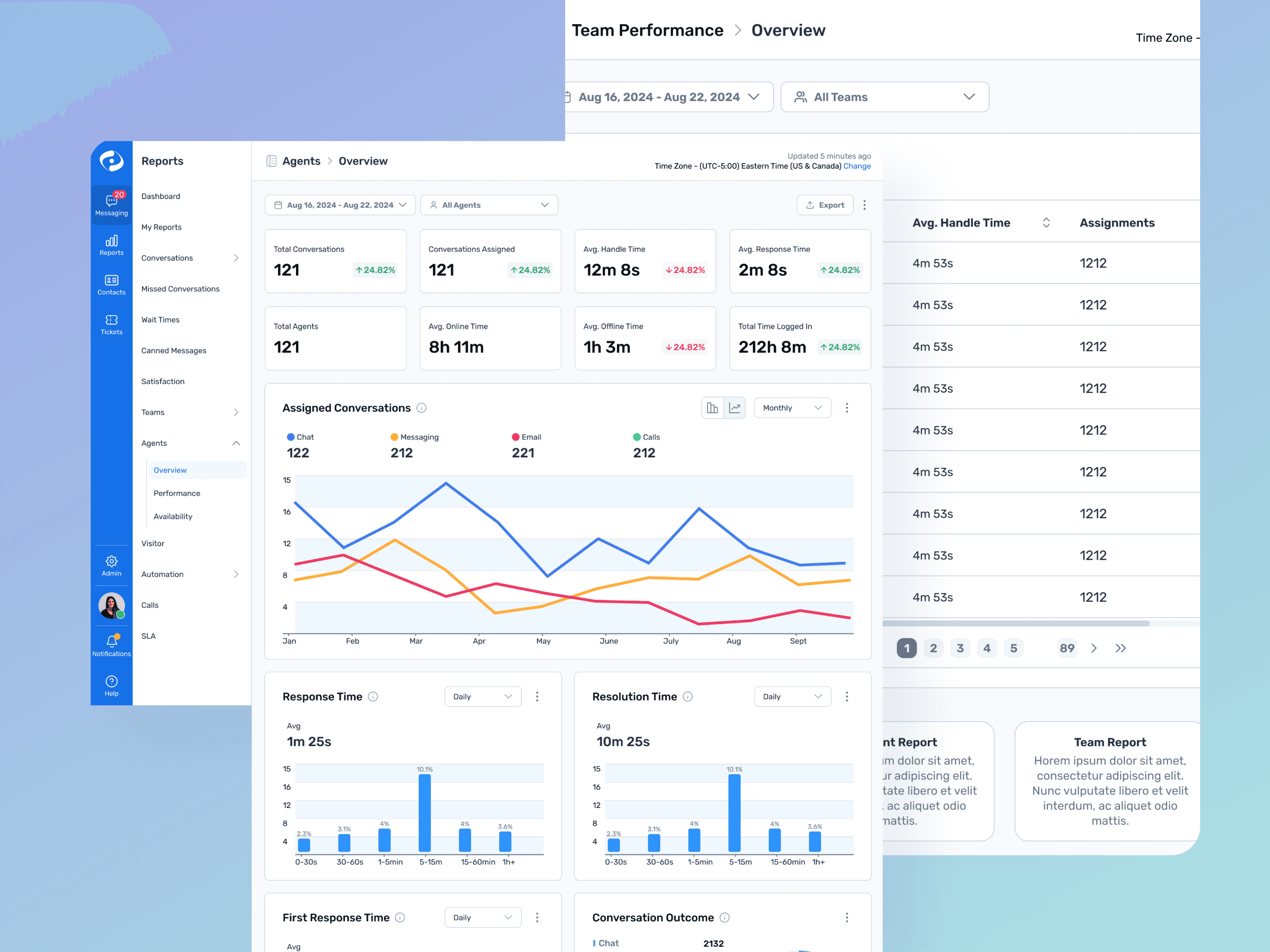
Actionable Data for Better Decisions
Designed an advanced reporting dashboard that consolidated performance metrics like response times, resolution rates, and customer satisfaction. Dashboards provided real-time omnichannel insights for agents and team leaders, enabling data-driven decisions to improve customer interactions and team performance by visualizing channel-specific and consolidated metrics.
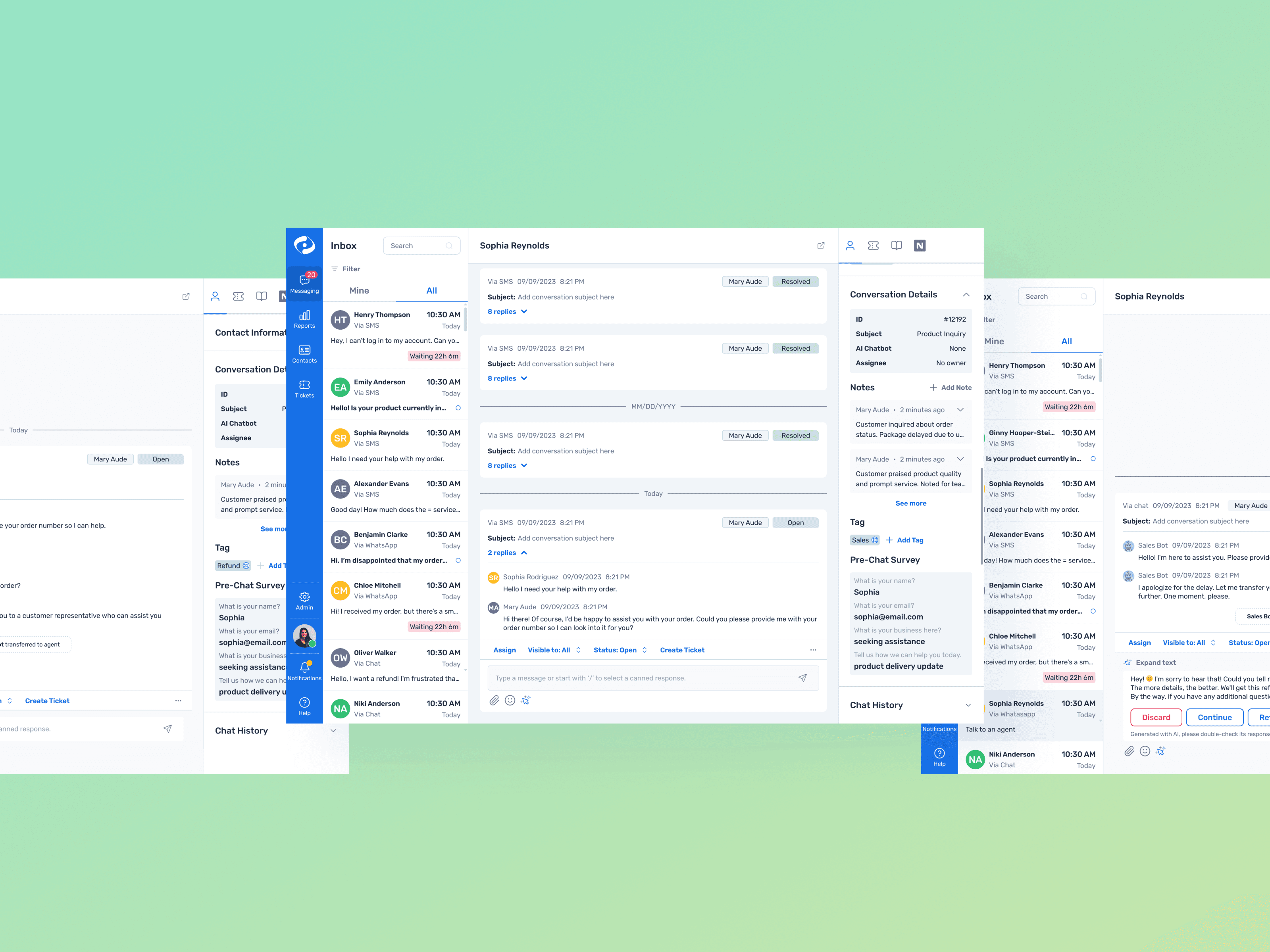
Streamlined Omnichannel Inbox
Streamlined inbox to unify customer interactions across multiple channels, including SMS, WhatsApp, and Live Chat. This provided agents with a centralized view of customer communications, reducing the need for context-switching and improving resolution times.
It furthers enhances the inbox experience with AI features, including automated sentiment analysis and smart reply suggestions. These tools empowered agents to handle interactions more efficiently by prioritizing urgent messages and providing context-aware responses.
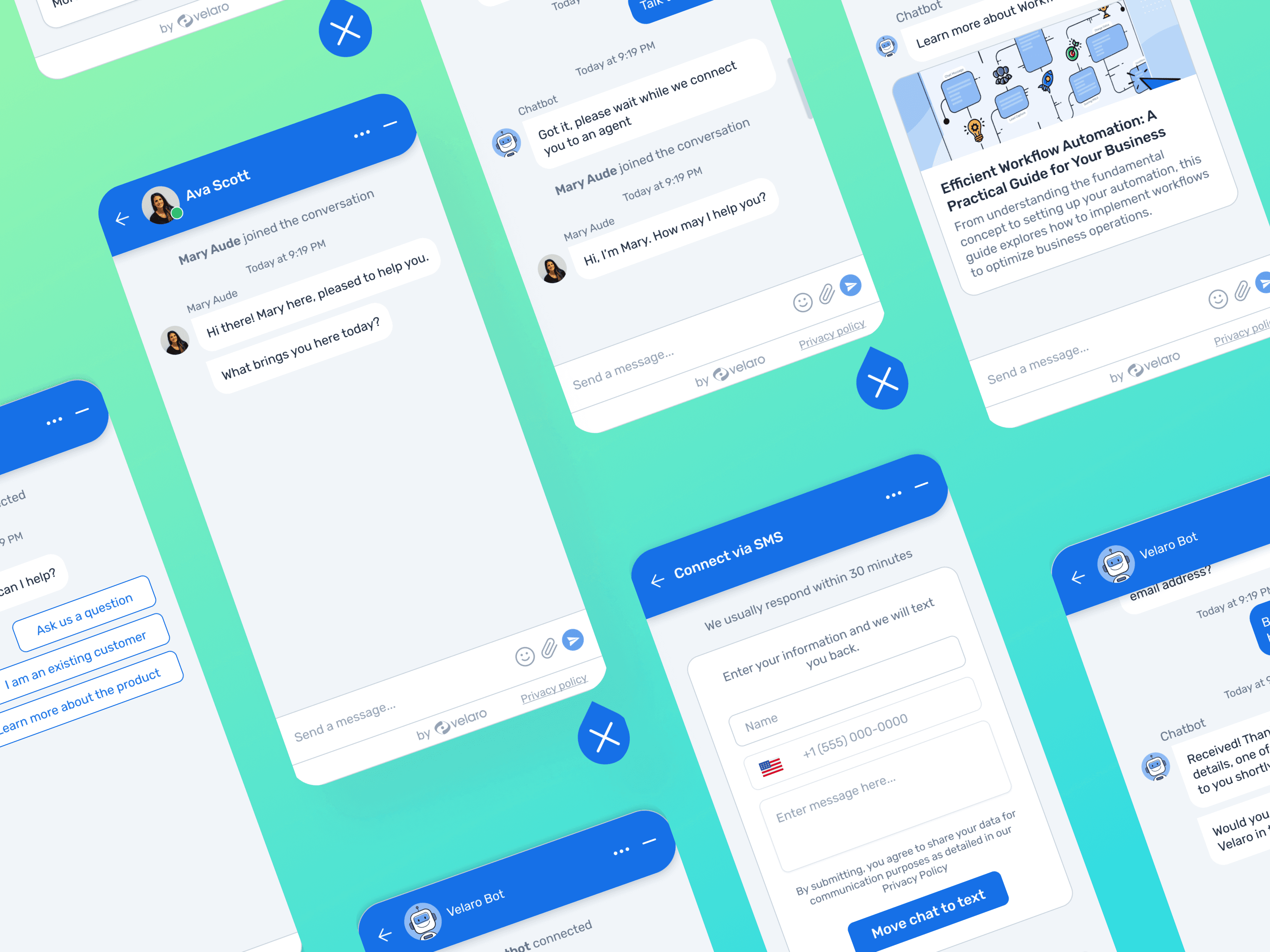
Unified Chat Window for Customers
Redesigned the chat window to offer customers a consistent and branded experience, regardless of the channel. This improved customer trust and engagement by aligning with organizational branding while ensuring accessibility.
Designer Tools for Personalization
Developed robust customization options within the chatbot designer to allow businesses to personalize conversational experiences to meet unique customer needs. This tool empowered organizations to build bots that align with specific goals while ensuring high usability.
Results
The redesigned workflows and interfaces changed how agents and admins actually worked day to day:
Clearer Support Workflows: Reworked ticketing, agent tools, and routing so the most common actions took fewer steps: the standard route-and-resolve flow dropped from about 9 screens to 4.
Improved Admin Efficiency: The rebuilt automation builder gave admins a clearer model for rule creation, cutting configuration-related support tickets to engineering by roughly 30%.
Higher Design Consistency: New UI patterns consolidated 40+ one-off components into a single reusable library, so engineering shipped updates faster with fewer visual mismatches across V10 and V20.
Better Cross-Team Alignment: Shared prototypes, clarified acceptance criteria, and more structured design documentation helped reduce misunderstandings between design, product, and engineering.
These improvements supported the broader effort to modernize Velaro’s platform and prepare it for wider feature expansion.


Reflections
Over roughly a year I owned UX and product design for several core areas of Velaro (agent workflows, the automation builder, and reporting) and supported the frontend that shipped them. The hardest part was not the screens; it was keeping one coherent experience across two live product tracks while working inside real engineering constraints.
The clearest lesson: designing against feasibility early, with engineers in the room, produced better outcomes than polishing in isolation and negotiating later.

GroceryBudget: Mobile Grocery Budgeting App
A grocery budgeting app I designed, built, and shipped solo to 20,000+ users on the App Store and Google Play.
Allie: Clinic Management SaaS
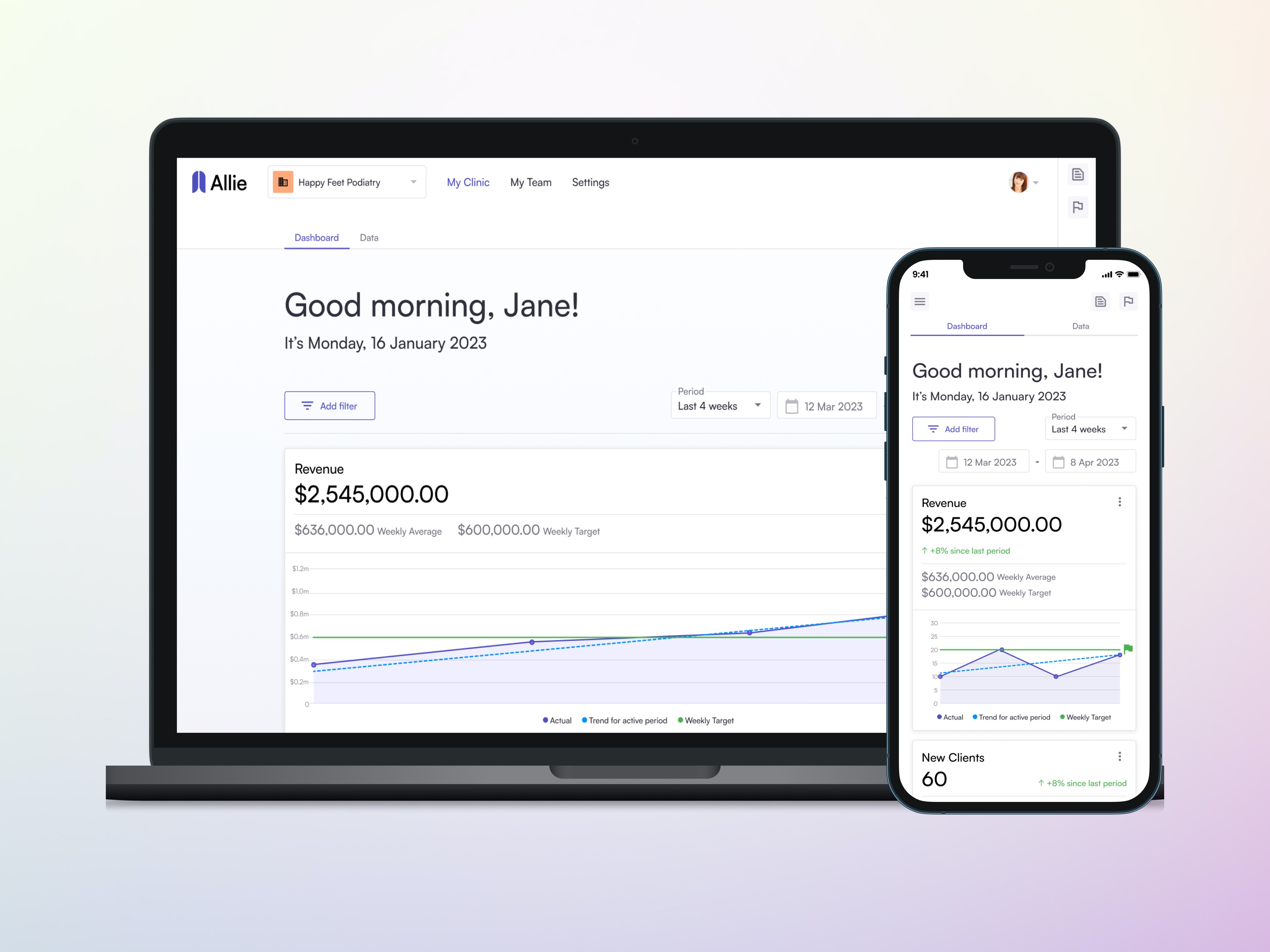
Redesigned an end-to-end clinic management SaaS so staff reach records, scheduling, and billing from one dashboard.
Designing Allie and UWAI Marketing Sites
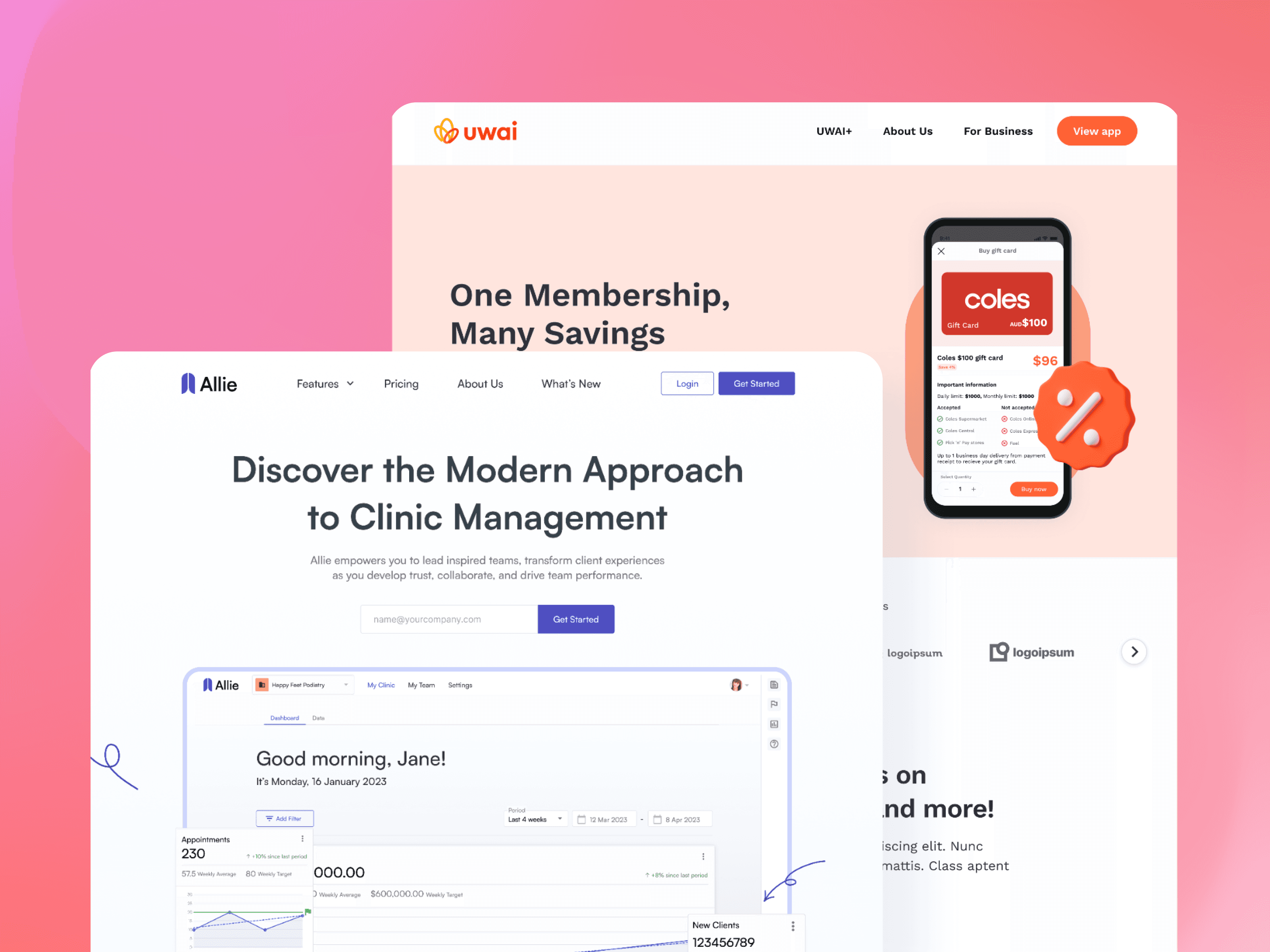
Conversion-focused marketing sites for two SaaS products, from layout and messaging through to build.
Digital Contributions
An archive of earlier design work and one-off product contributions.