GroceryBudget: Mobile Grocery Budgeting App

Role

Product Designer & Solo Developer

Industry

FinTech (Financial Technology)

Duration

2025 to present

Overview

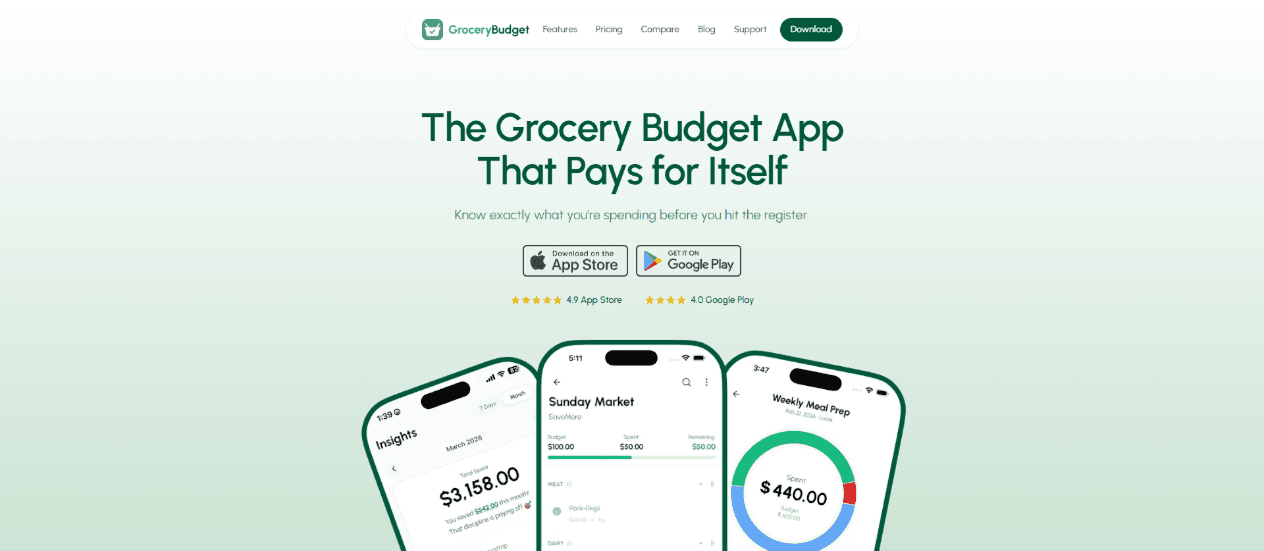
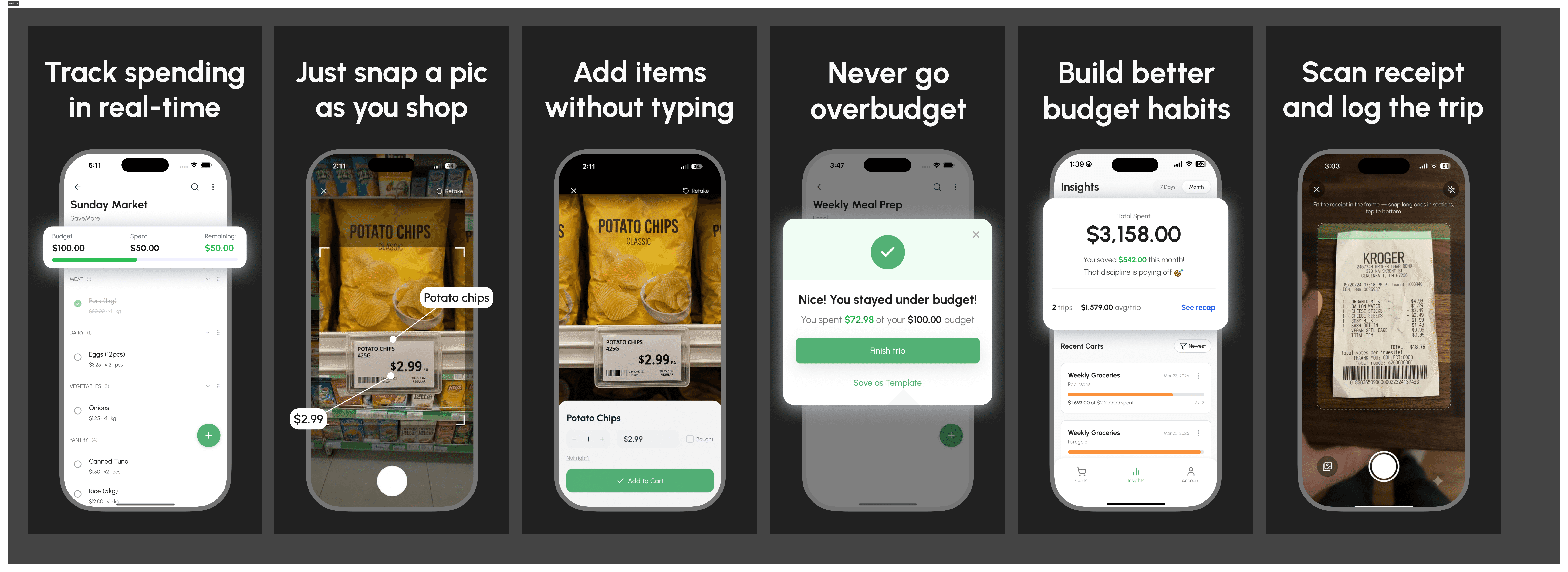
GroceryBudget is a mobile grocery budgeting app for shoppers in the Philippines and the US. I designed, built, and shipped it solo with React Native and Firebase. It now has 20,000+ users and roughly 8,000 monthly active, and is live on the App Store and Google Play.

Budget-conscious shoppers had no simple way to connect individual purchases to the bigger spending picture, remember what they paid last time, or track reliably inside stores with weak connectivity. Four product decisions shaped the app:
Offline-first, so it never fails mid-shop

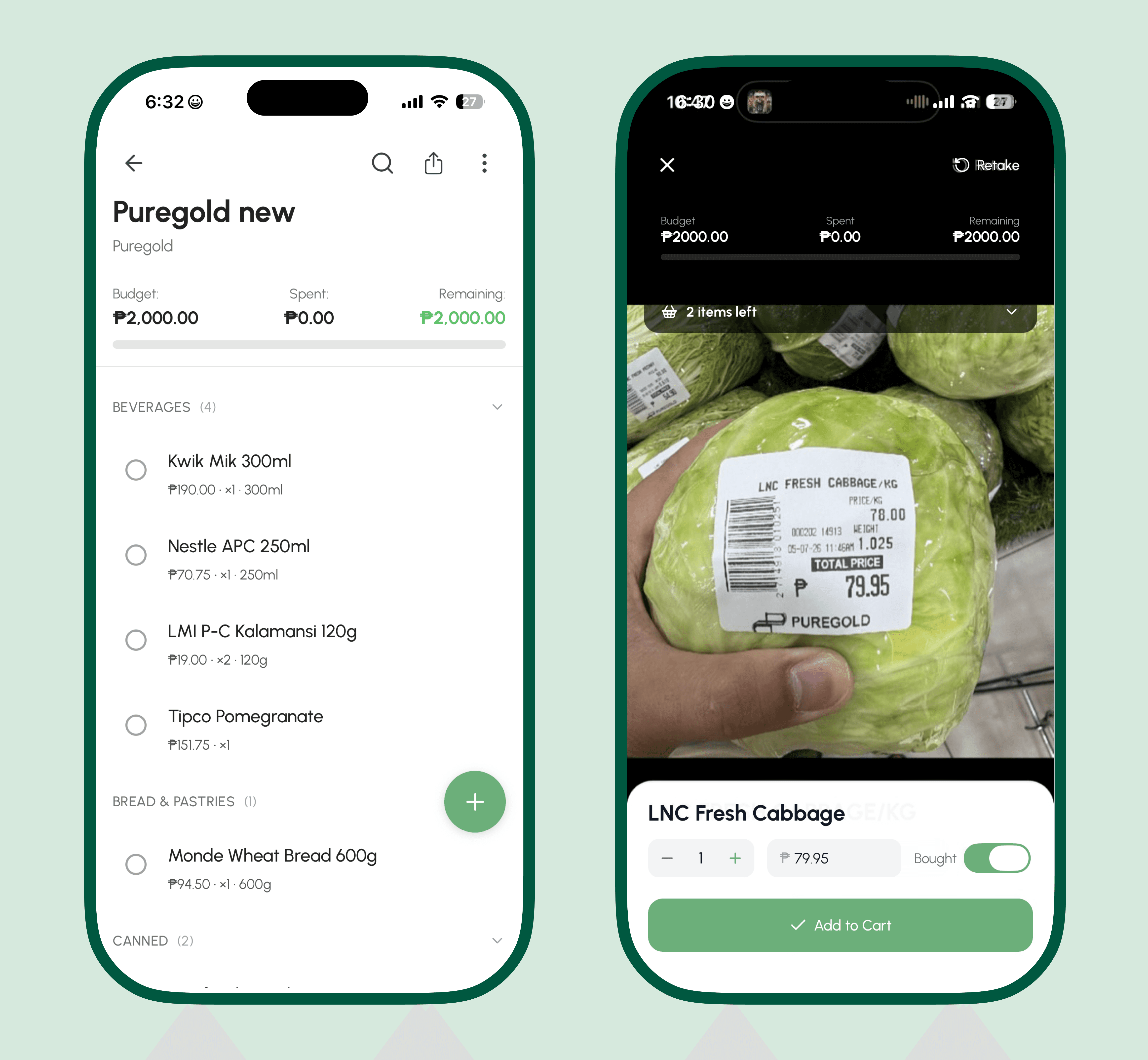
The app runs fully without a connection using Firebase offline persistence and local caching. Users create carts, add items, and view insights in basement supermarkets or rural stores, and everything syncs automatically once they are back online. Connectivity stops being a reason the app lets them down.

Cart-based organization instead of endless lists

Each shopping trip is a self-contained cart with its own budget, store, totals, and item breakdown. Users run several carts at once (weekly groceries versus bulk runs), see trip history in context, and spot where the money actually goes.

Zero-friction guest mode with seamless migration

New users get full access instantly through a session-based guest account, with no signup wall. When they choose to register, an atomic Firebase batch migration moves every cart, item, and price record into the new account with no data loss. People experience the value before committing.

Passive price memory

The app quietly records what users pay per item and suggests it next time, building a personal price reference with zero extra effort. That is the budgeting insight most shoppers never manage to keep in their head.
Growth: a marketing site and an SEO engine

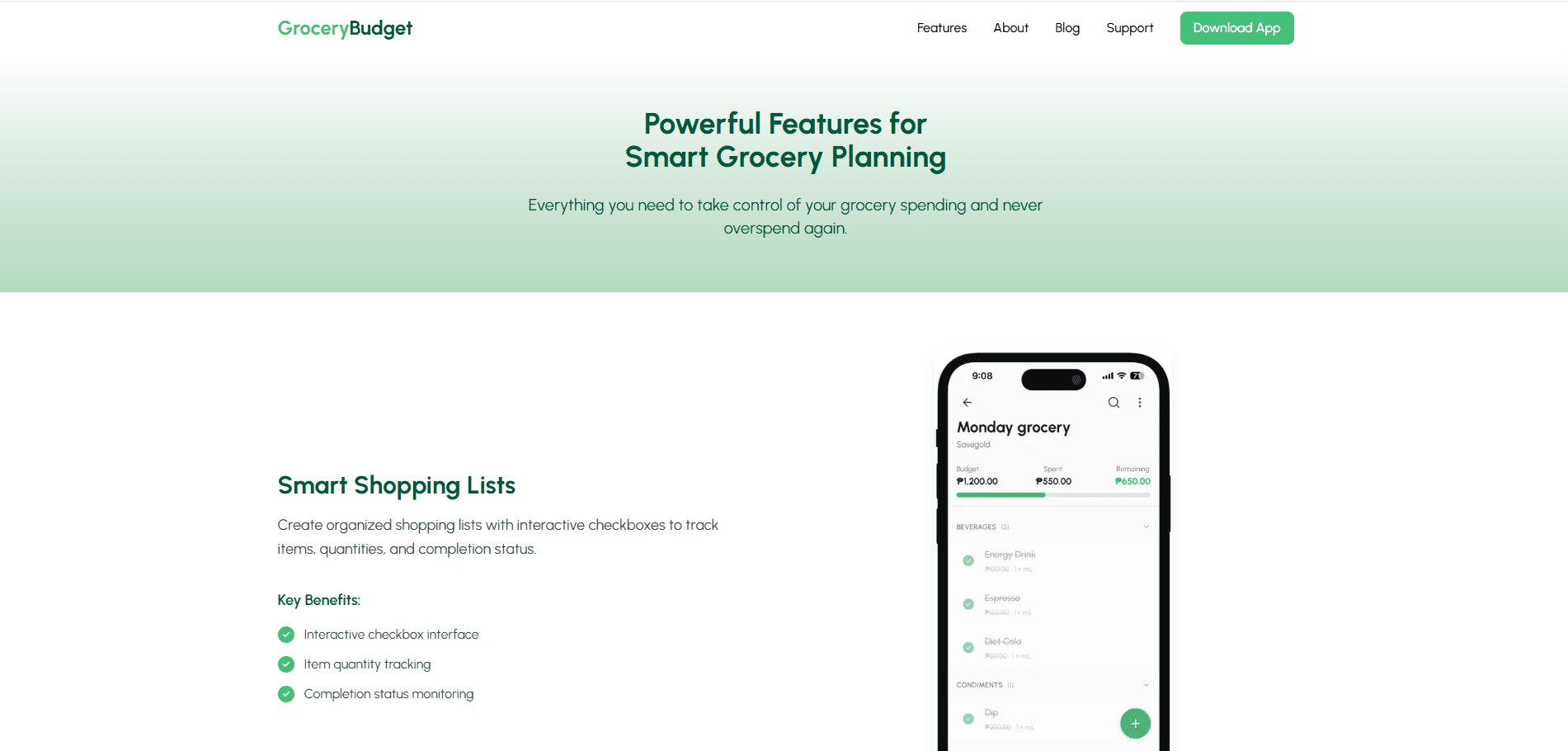
I designed and built a separate marketing site with Next.js, treating it as a conversion funnel rather than a brochure: understand the problem, see the fix, download. It carries feature storytelling, a support and FAQ section, and a blog.

Feature storytelling that is easy to skim

Each feature section explains a capability in plain language with real examples, kept light and structured for quick scanning, since most visitors arrive from mobile-first channels like TikTok.

A blog that builds trust and search visibility

The blog covers budgeting tips, inflation insights, and meal-planning guides, turning GroceryBudget into a resource and pulling in search traffic beyond the app itself.

Support and FAQs that reduce friction

A dedicated support page answers the common questions about onboarding, price memory, and account setup, so hesitant users feel confident enough to try the app.

SEO that compounded

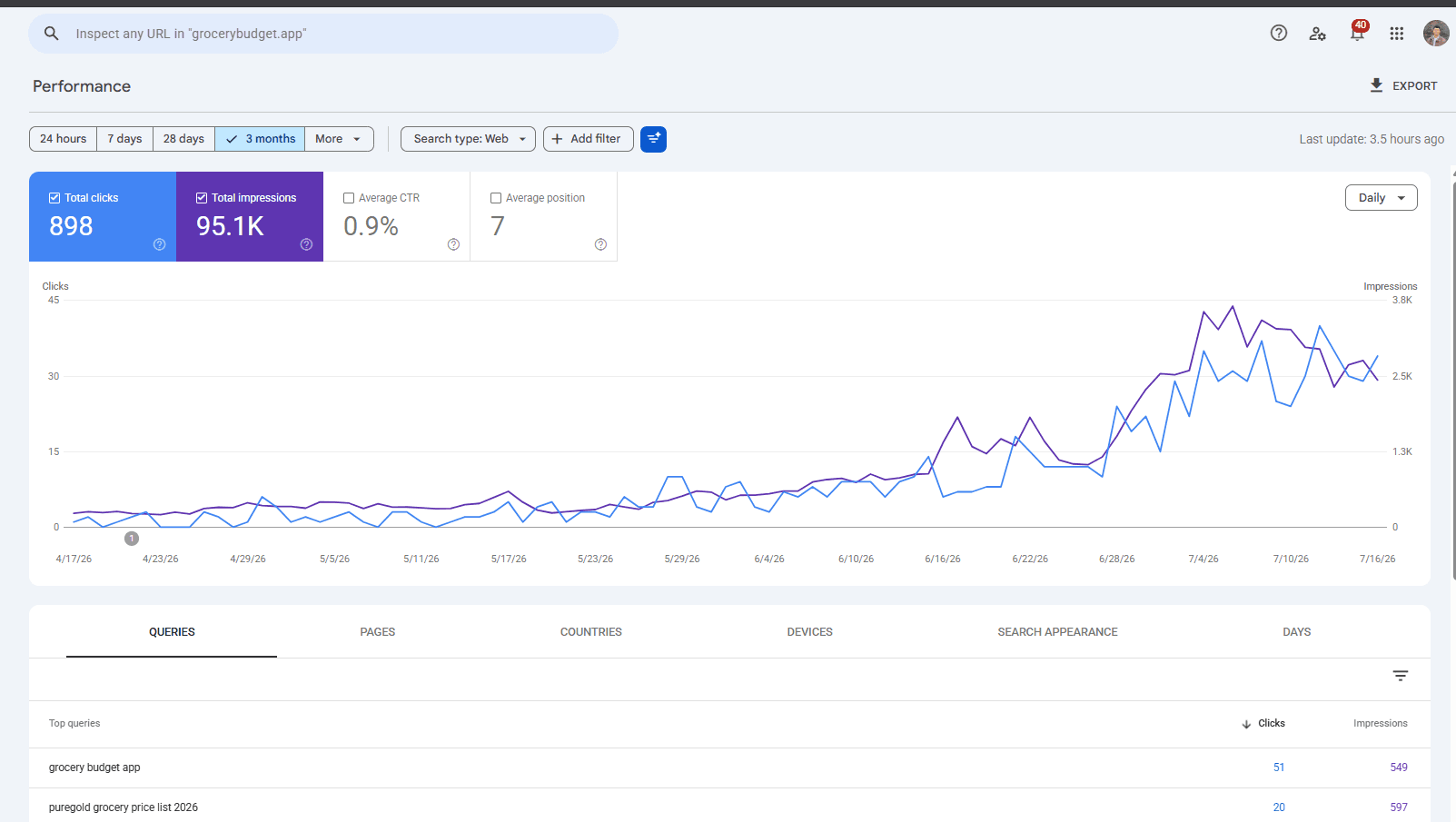
I ran a real SEO program: an audit, title and meta rewrites on high-impression posts, internal link clusters, 301 redirects for dead URLs, and new posts targeting how Philippine shoppers actually search, such as store-comparison queries like SM versus Robinsons. These are the cleanest growth numbers I have:

  • Organic clicks: 44 to 550 in a 28-day window, about 12.5x since April.

  • Impressions: 8,500 to 59,000, about 7x.

  • Average position improved from 7.9 to 7.0 and held.

Shareable lists: a build-versus-buy call

To turn users into a distribution channel, I built shareable lists: send a cart as a link and the recipient auto-imports a categorized list. I evaluated Branch.io for the deep-linking, then dropped it after weighing its free-tier cliff and unreliable auto-seed behavior against owning the link layer with universal links. Owning it kept the experience reliable and free to run.

App: grocerybudget.app

Growth: a marketing site and an SEO engine

I designed and built a separate marketing site with Next.js, treating it as a conversion funnel rather than a brochure: understand the problem, see the fix, download. It carries feature storytelling, a support and FAQ section, and a blog.

Feature storytelling that is easy to skim

Each feature section explains a capability in plain language with real examples, kept light and structured for quick scanning, since most visitors arrive from mobile-first channels like TikTok.

A blog that builds trust and search visibility

The blog covers budgeting tips, inflation insights, and meal-planning guides, turning GroceryBudget into a resource and pulling in search traffic beyond the app itself.

Support and FAQs that reduce friction

A dedicated support page answers the common questions about onboarding, price memory, and account setup, so hesitant users feel confident enough to try the app.

SEO that compounded

I ran a real SEO program: an audit, title and meta rewrites on high-impression posts, internal link clusters, 301 redirects for dead URLs, and new posts targeting how Philippine shoppers actually search, such as store-comparison queries like SM versus Robinsons. These are the cleanest growth numbers I have:

  • Organic clicks: 44 to 550 in a 28-day window, about 12.5x since April.

  • Impressions: 8,500 to 59,000, about 7x.

  • Average position improved from 7.9 to 7.0 and held.

Shareable lists: a build-versus-buy call

To turn users into a distribution channel, I built shareable lists: send a cart as a link and the recipient auto-imports a categorized list. I evaluated Branch.io for the deep-linking, then dropped it after weighing its free-tier cliff and unreliable auto-seed behavior against owning the link layer with universal links. Owning it kept the experience reliable and free to run.

App: grocerybudget.app

Other projects

Other projects

Copyright 2026 by Troy Saludo

Copyright 2026 by Troy Saludo

Copyright 2026 by Troy Saludo

Create a free website with Framer, the website builder loved by startups, designers and agencies.